Un-Bricking an EverDrive Clone, AKA Fixing the Dreaded “Authentication Error” (part 3)

Ok, so far we’ve seen how we can fix a bricked EverDrive clone by desoldering the flash chip and by using an external programmer. However, we can take this one step further – EverDrives reprogram their own flash memory using nothing but the Game Boy as a programmer, so why can’t we? The obvious answer seems like “because we can’t run our own code when another cartridge is plugged in”, but fortunately for us, that’s not true! You see, the Game Boy doesn’t actually care where the code it runs lives and it has 8kB of internal WRAM (32kB on the Game Boy Color). So all we need to do is write some code to un-brick the cartridge, copy that code to the internal WRAM, jump to it and then we no longer have a need for the cartridge. We can remove the cartridge that originally contained the code and replace it with another one, say a bricked EverDrive clone, and then our code can interact with the newly inserted cartridge.

Let’s take a look how this works in practice:

CopyToRam:
    ld hl, _RAM ; Load the location of WRAM into hl
    ld d, high(RAM_CODE_SOURCE) ; Load the location of our code
    ld e, low(RAM_CODE_SOURCE)  ; to copy into de
.copyByte
    copy [hli], [de] ; Copy a byte and increment hl
    inc e ; Increment the lower byte of the source address
    jr nz, .copyByte ; Unless we reach an address ending in 0x00, loop
    jp _RAM ; Jump to the code we just copied to WRAM
Continue reading Un-Bricking an EverDrive Clone, AKA Fixing the Dreaded “Authentication Error” (part 3)

Un-Bricking an EverDrive Clone, AKA Fixing the Dreaded “Authentication Error” (part 2)

In the last post, we looked at a method of repairing a bricked EverDrive clone by desoldering and reprogramming the flash memory chip. Now we’re going to dive into the EverDrive code, look at how it marks counterfeit cartridges and figure out how we can recover them… All without touching a soldering iron! In order to get started, we’re going to need two things: the EverDrive firmware file and a Game Boy ROM disassembler, both of which are easy to find online. First, we’ll grab the latest firmware version, v4 from the official Krikzz website. Next we’ll need to download mgbdis, which is available on GitHub. To disassemble the ROM, simply run:

./mgbdis.py GBOS.GB

Continue reading Un-Bricking an EverDrive Clone, AKA Fixing the Dreaded “Authentication Error” (part 2)

Un-Bricking an EverDrive Clone, AKA Fixing the Dreaded “Authentication Error” (part 1)

Wow, it’s been how long since I made a post here? Six and a half years? I’m sure you were all waiting with bated breath. Anyway, let’s look at the subject of today’s post: cheap, knock-off EverDrive clones. Before we get started, I want to say a few words on the subject. All of these EverDrive clones are based off of stolen designs and code and, while they may be cheap, they take money away from the original creator, Krikzz, who put in a ridiculous amount of work to develop such an incredible product. As of writing this, the official EverDrive Game Boy x3 is only $44, which is considerably less than you would spend if you tried to follow this guide to repair a broken clone device. If you’re in the market for a quality Game Boy flashcart, I highly recommend picking up a real EverDrive from the manufacturer or an official retailer.

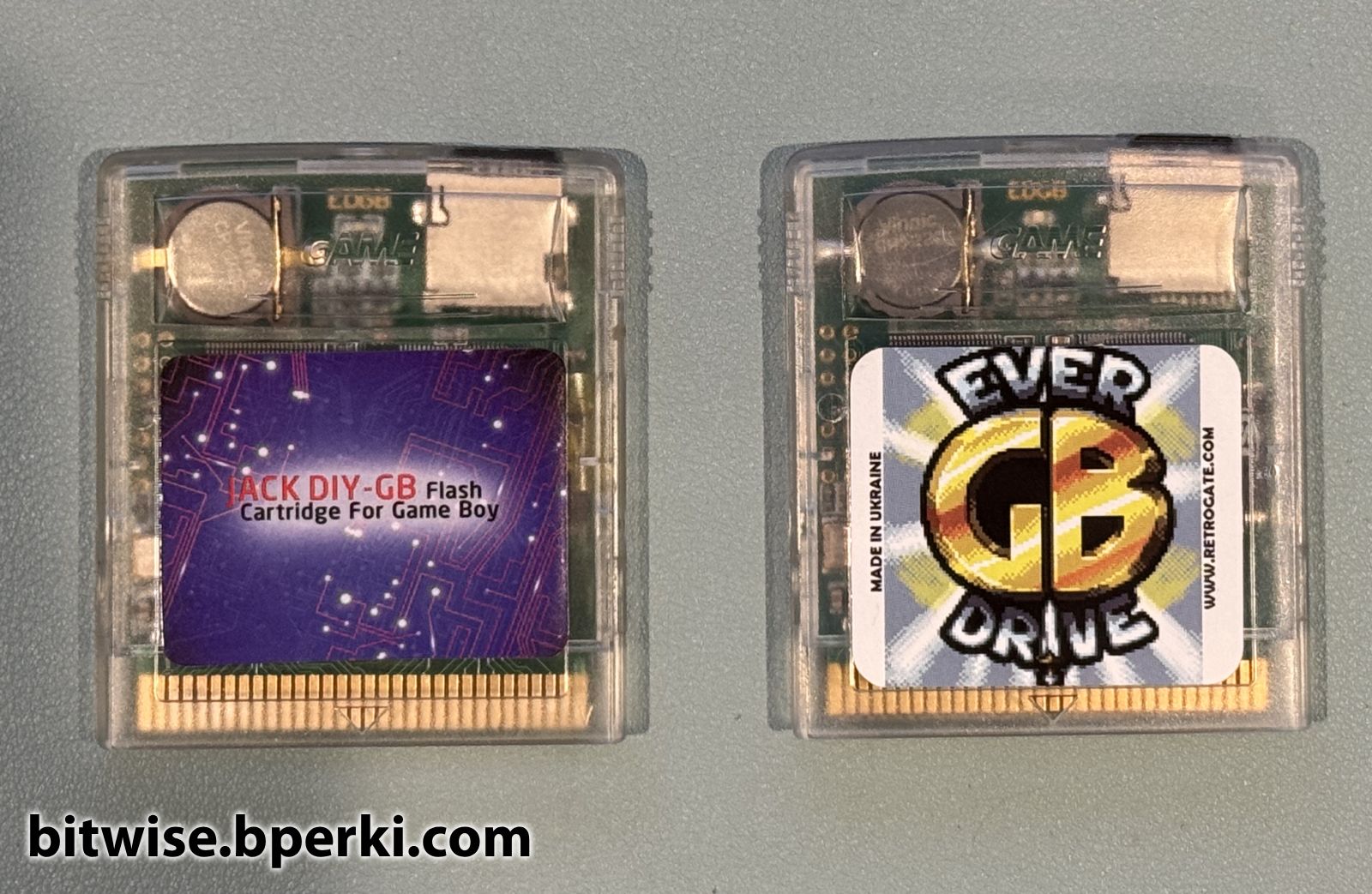
A counterfeit EverDrive aka "Jack DIY" on the left with a legitimate EverDrive on the right
A counterfeit EverDrive aka “Jack DIY” on the left with a legitimate EverDrive on the right

Continue reading Un-Bricking an EverDrive Clone, AKA Fixing the Dreaded “Authentication Error” (part 1)